Windows 10 and 11 · 64-bit

Repair Shop Software for Windows PC

Run the counter on the shop computer: a big screen, keyboard shortcuts, installed and network printers. It is the same RepairKhata shop as the Android app: the owner and staff sign in with Gmail, and every job card, payment and stock change is the same on the PC and on every phone.

Free download · works with the shop's Online plan (₹299/month or ₹2,499/year, GST included)

Direct download: RepairKhata-1.0.0.msi (87 MB) · SHA-256 checksum. The installer is not yet code-signed, so Windows SmartScreen may ask you to confirm; the Microsoft Store version installs without that prompt.
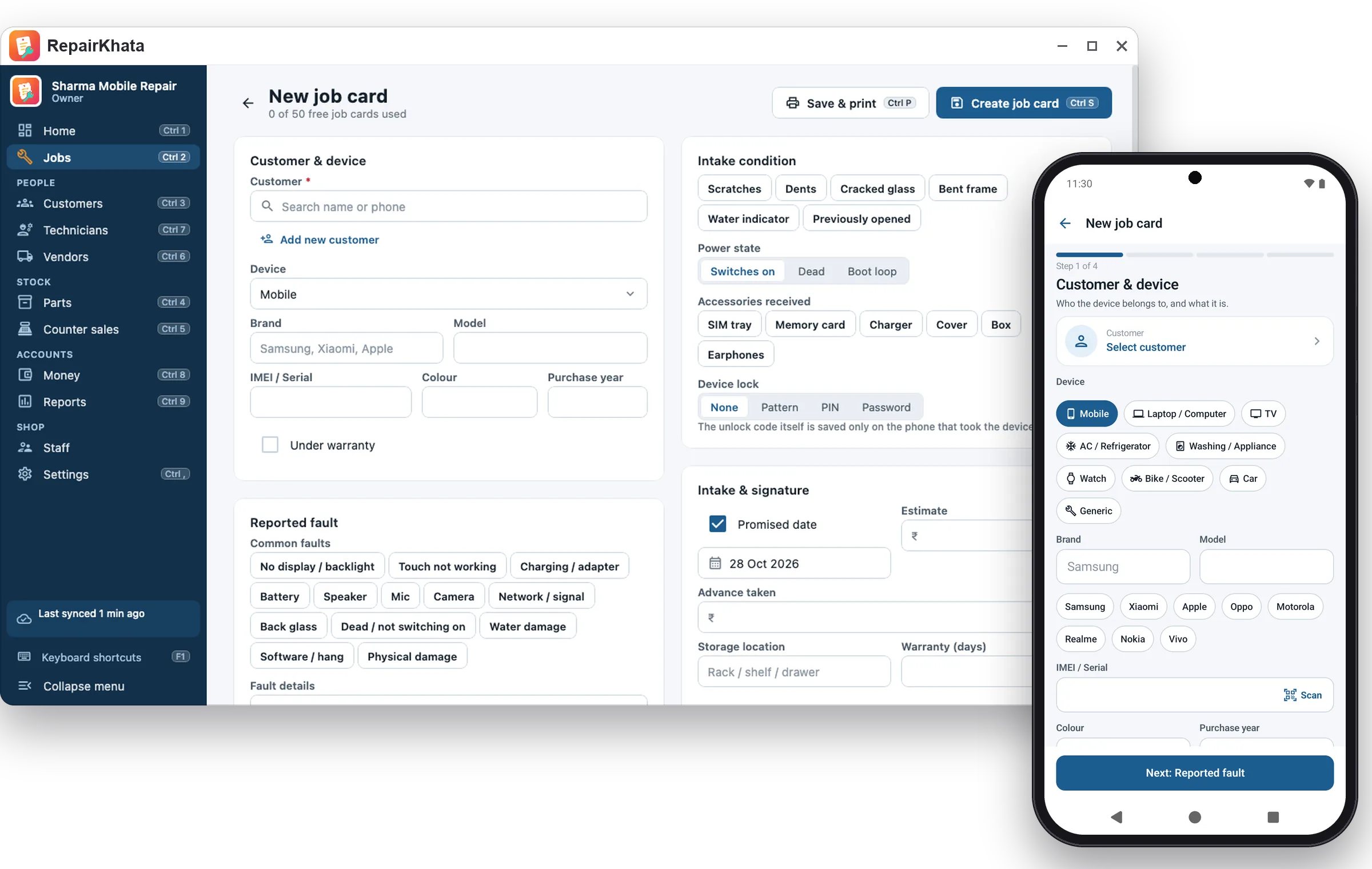
RepairKhata for Windows: new job card screen with the Android app beside it
Counter speed

Job cards from the keyboard

Take in a device without touching the mouse: customer, device, IMEI or serial, fault, intake condition, accessories, promised date, estimate and advance, then print the job card.

F2New job card
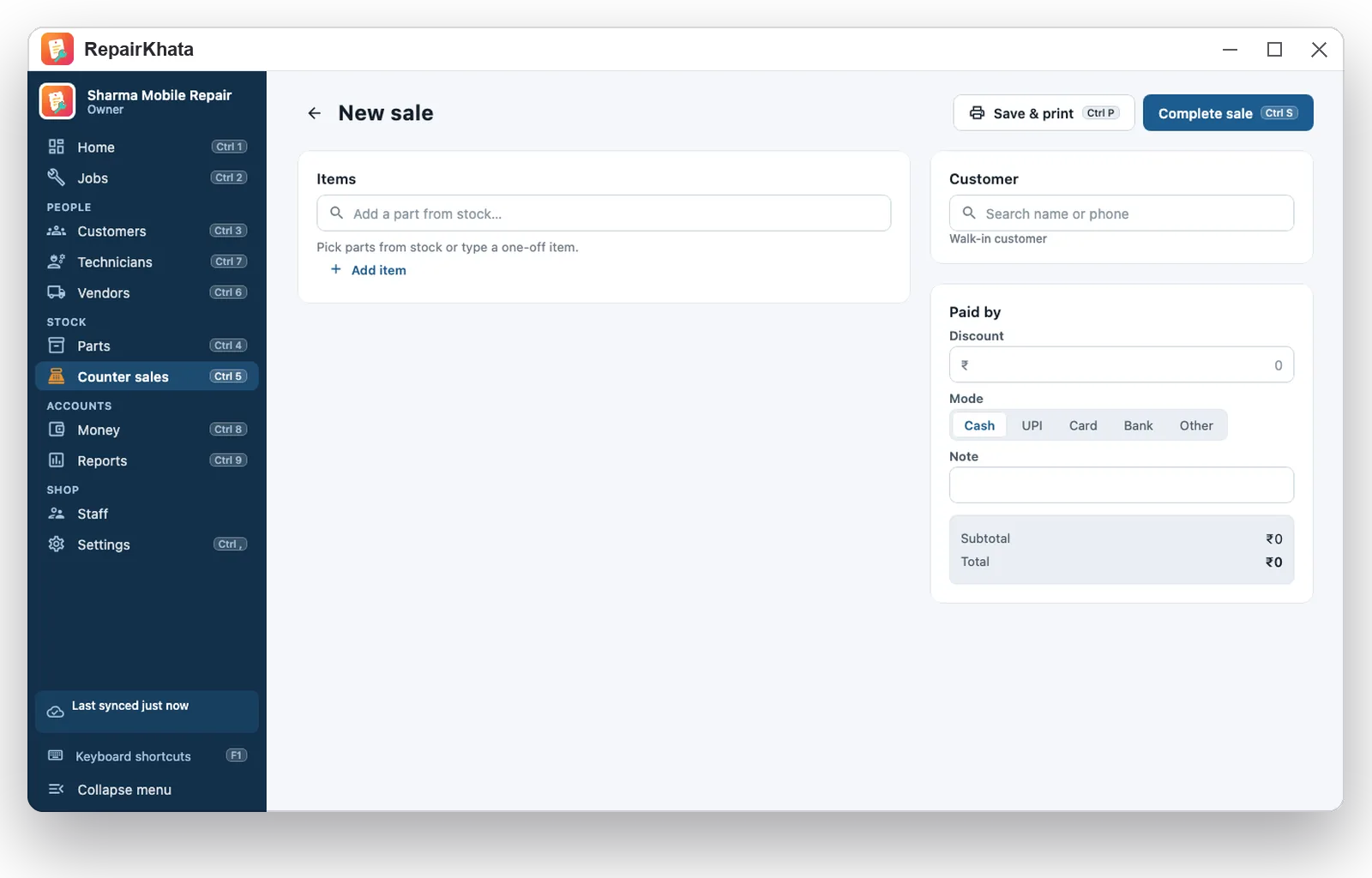
F3New counter sale
Ctrl + PPrint the job card or bill
Ctrl + 1 … 9Home, jobs, customers, parts, counter sales, vendors, technicians, money, reports
F1All keyboard shortcuts
New counter sale screen in RepairKhata for Windows
The whole repair

Diagnosis to delivery on one screen

Diagnosis and estimate, customer approval, parts from stock, technician assignment, outside vendors, testing, ready, delivery with collection, warranty claims and rework: every step is a button on the job, with a timeline of notes.

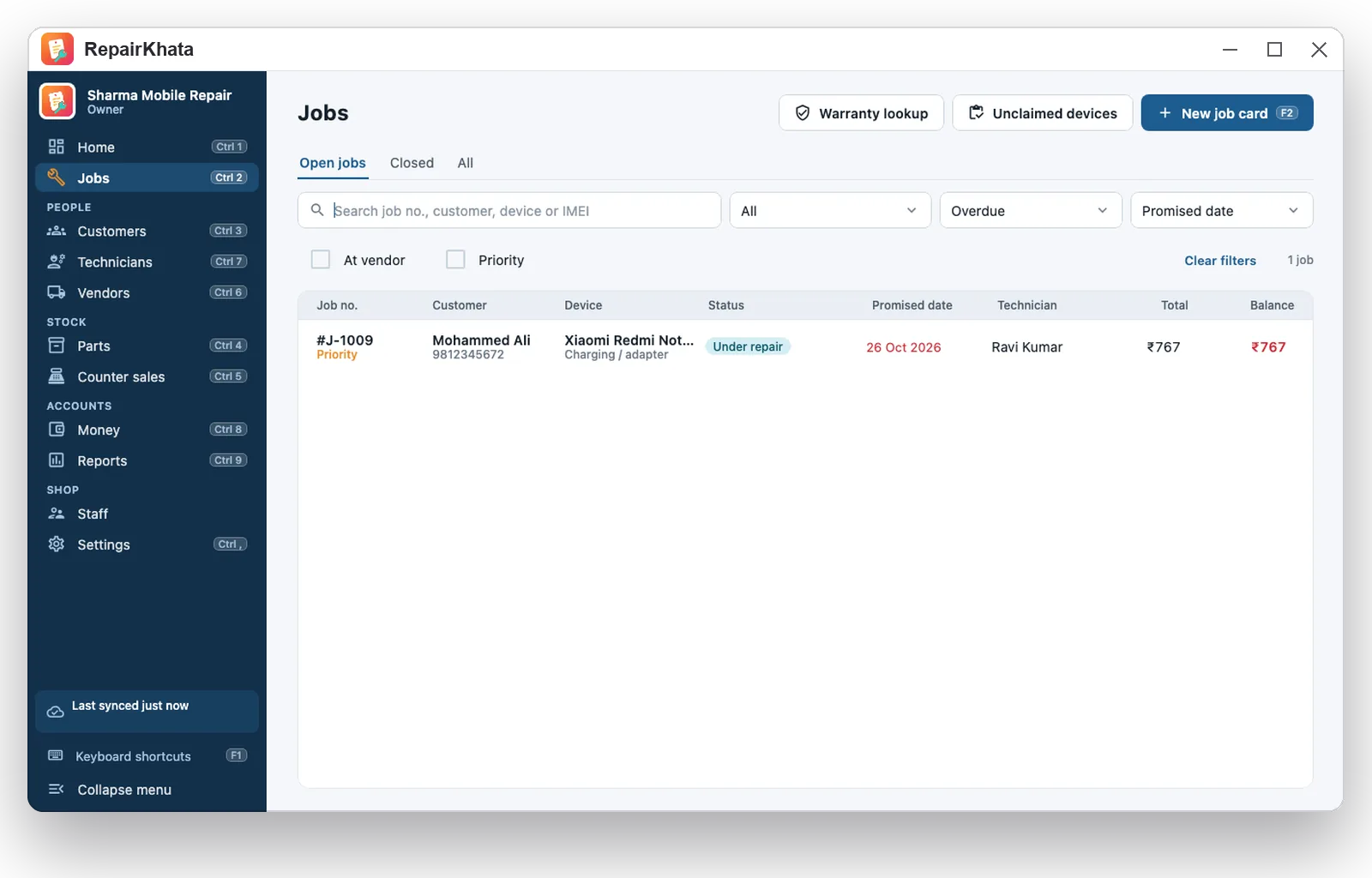
  • Overdue and unclaimed lists for the morning check
  • Warranty lookup by IMEI, phone or job number
  • Returns and scrap for parts; counts and stock-in by vendor
Overdue jobs filter in RepairKhata for Windows
Printing

Six bill designs, any printer

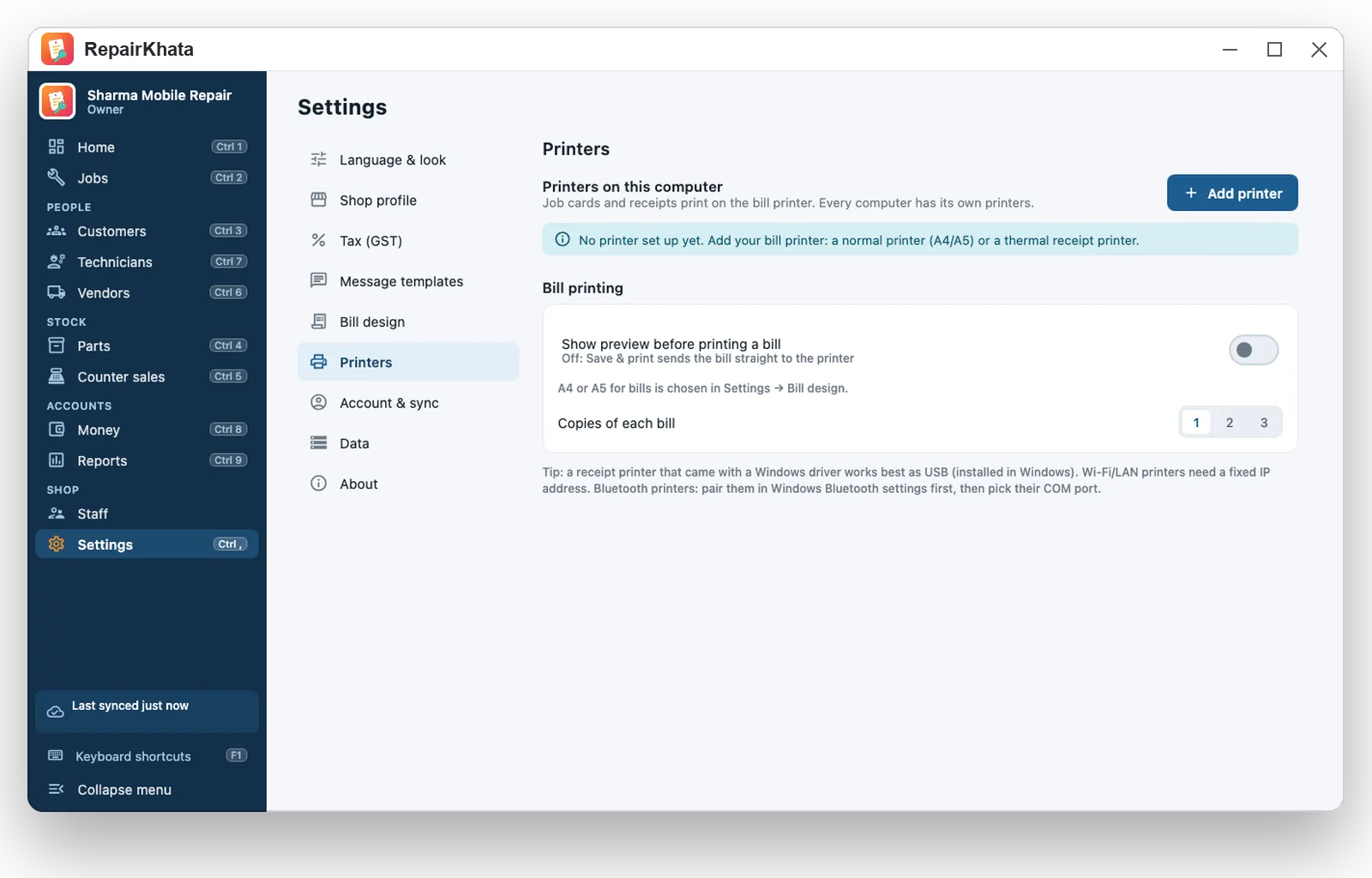
Job cards, estimates, delivery receipts and GST tax invoices print on A4 and A5 printers and on 58 mm and 80 mm thermal receipt printers installed in Windows or reachable on the network. Every Indian language prints correctly.

  • Pick a printer once; Ctrl+P prints straight to it, or preview first
  • Bill design, logo, colour and terms are shared by the whole shop
  • Save as PDF for WhatsApp or email
Printer settings in RepairKhata for Windows
Staff and roles

Staff with roles

Add staff by Gmail from the Staff page. Owners and managers see everything; technicians and counter staff work on jobs, parts and collections but never see costs or the cashbook. Every change is recorded against the person who made it.

Reports and accounts

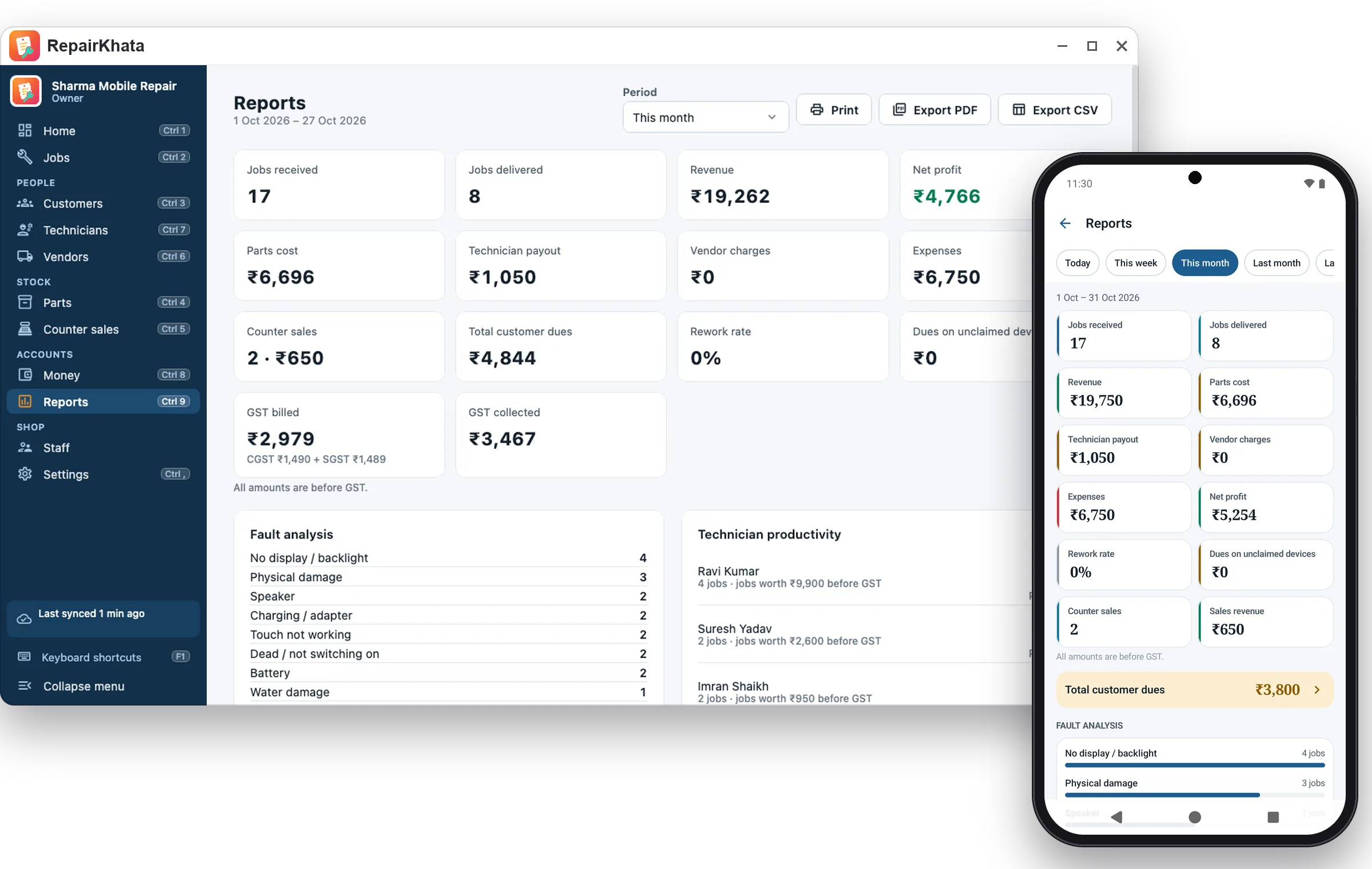
Cashbook, expenses, profit after parts and technician cost, GST register, and reports as Excel or PDF for your accountant.

Reports in RepairKhata for Windows and Android
Languages

19 languages, light and dark

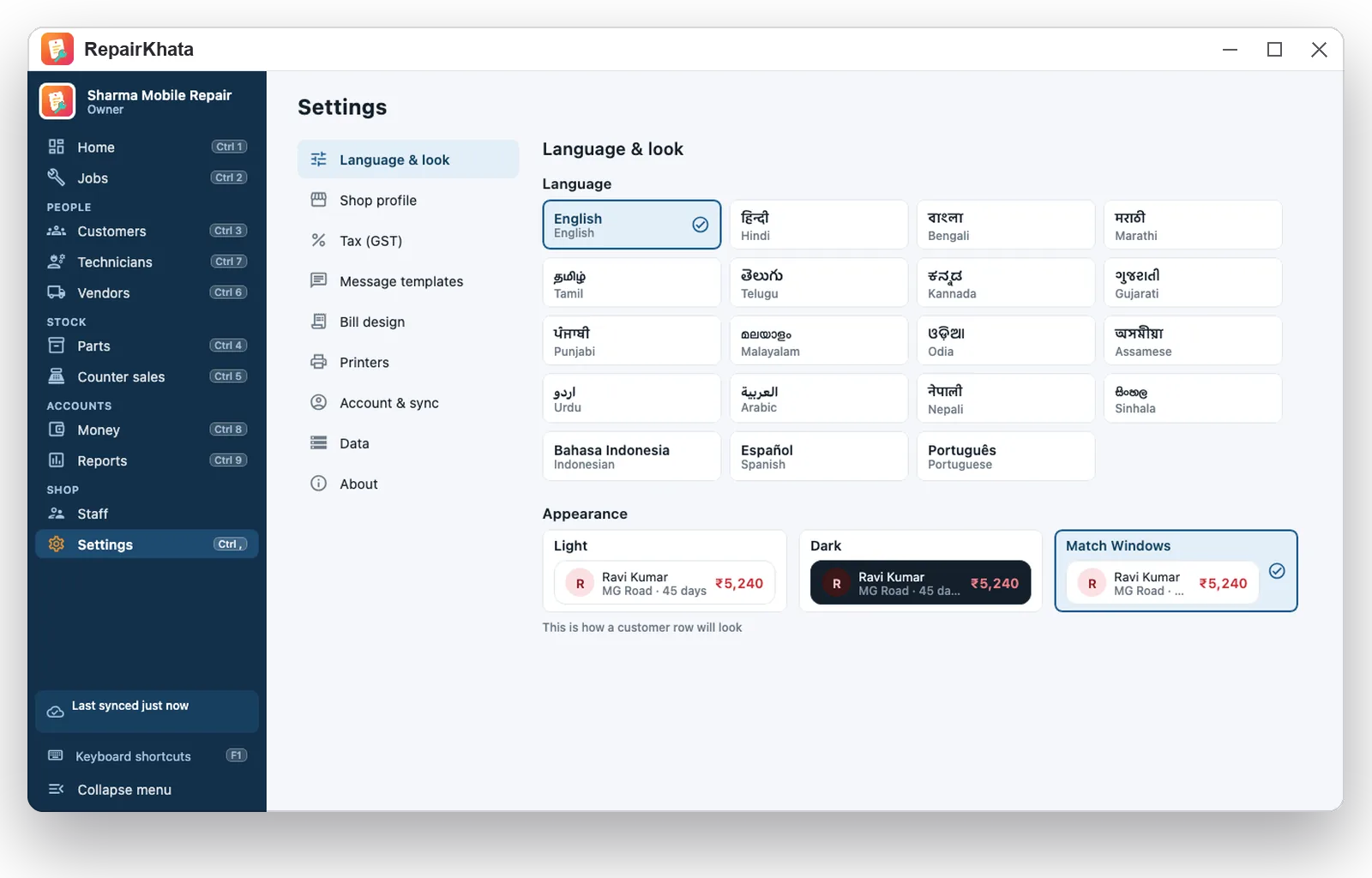
Hindi, Bengali, Marathi, Gujarati, Tamil, Telugu, Kannada, Malayalam, Punjabi, Odia, Assamese, Urdu, Nepali, Sinhala, English, Arabic, Spanish, Portuguese and Indonesian. Light, dark, or match Windows.

Language and appearance settings in RepairKhata for Windows

System requirements and sign-in

  • Windows 10 (version 1809 or later) or Windows 11, 64-bit, 4 GB RAM
  • Install from the Microsoft Store (updates arrive automatically) or the .msi installer above
  • Account the Gmail of the shop owner, or a staff Gmail the owner added; the shop needs the Online plan, started in the Android app or in this app
  • Internet to sync; work made while offline is sent when you reconnect
  • Printers any printer installed in Windows, plus ESC/POS receipt printers on the network

Make your first job card today

Free on Android, no account needed. Add the Online plan when you want staff sign-in and the Windows app.

Get it fromMicrosoft Store Coming soon onGoogle Play